A character with an Artisan-level Expertise can set up a Display Stand to receive crafting requests from other players.
■ How to set up a Display Stand
Open the Character window (Shortcut Key: C) and go to Talent.
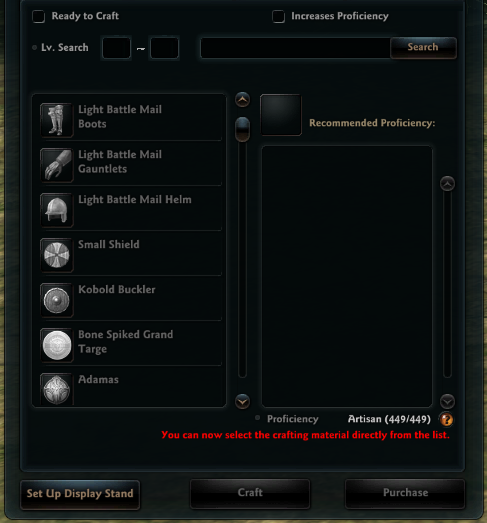
Click the 'Set Up Display Stand' button to set up your display stand.
- When setting up a display stand, you can promote your crafting service using a customizable sign, and set the available recipes and fees.
- You cannot set up a display stand or accept a crafting request using a shared Artisan-level Expertise.
■ How to request Crafting
You can make a crafting request through the [Craft] menu after right-clicking on a crafter who has set up their Display Stand in town.
Select recipes that the crafter has made available to request, and you must prepare the request fee that the crafter has set as well as all the materials required for crafting.
- You can also directly chat with the crafter through the chat UI on the crafting stand.
■ Crafting Request Precautions
- When a crafting request is completed, payment for the request, excluding the 5% fee, will be sent to the Mail of the character that set up the display stand. (You must accept the payment within 7 days.)
- You can also use materials bound to your character when requesting crafting.
- However, if any bound materials are included in the materials, the resulting item will also be bound.
| This guide reflects up-to-date information as of June 2024. |
