■ How to Set Control Mode
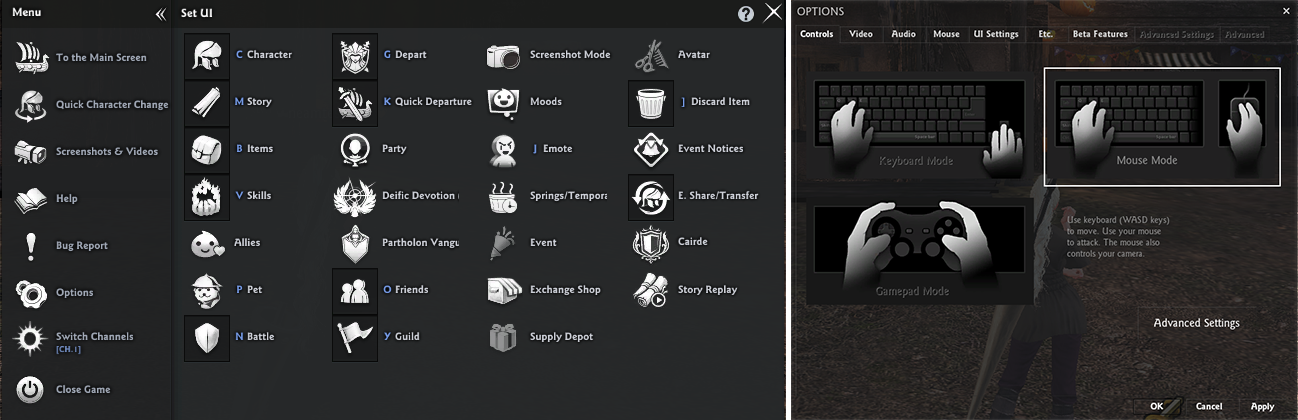
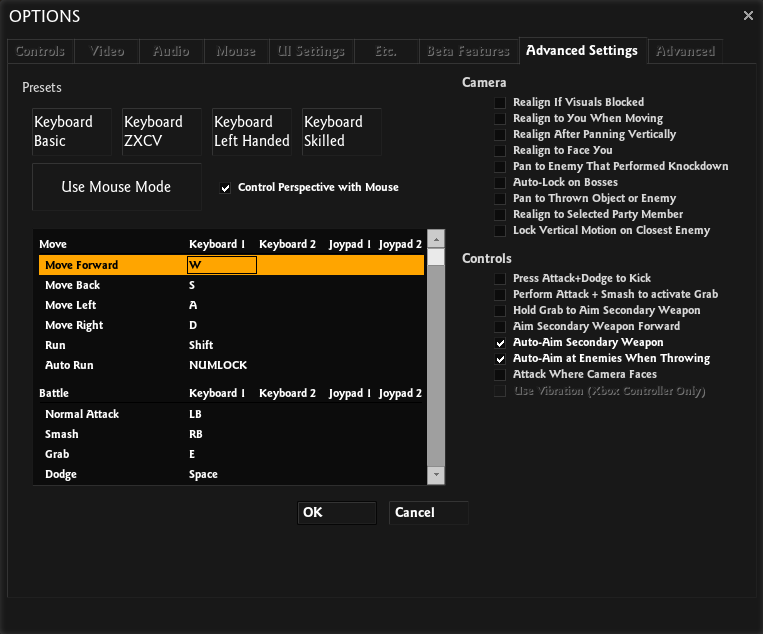
You can change the mouse/keyboard control mode in-game under [Options > Controls].
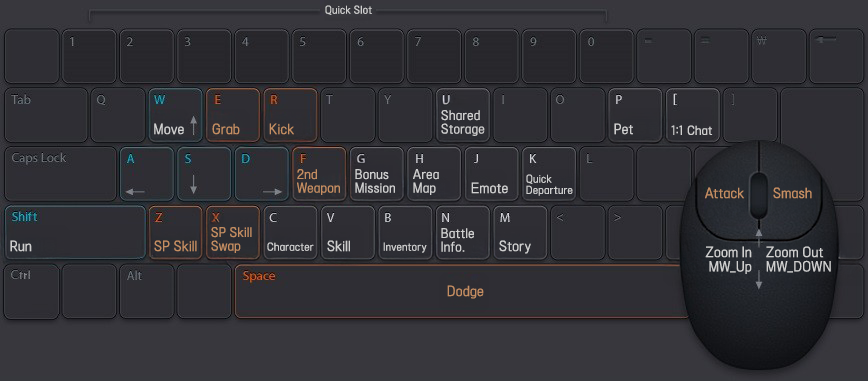
■ Mouse Mode (Default Setting)
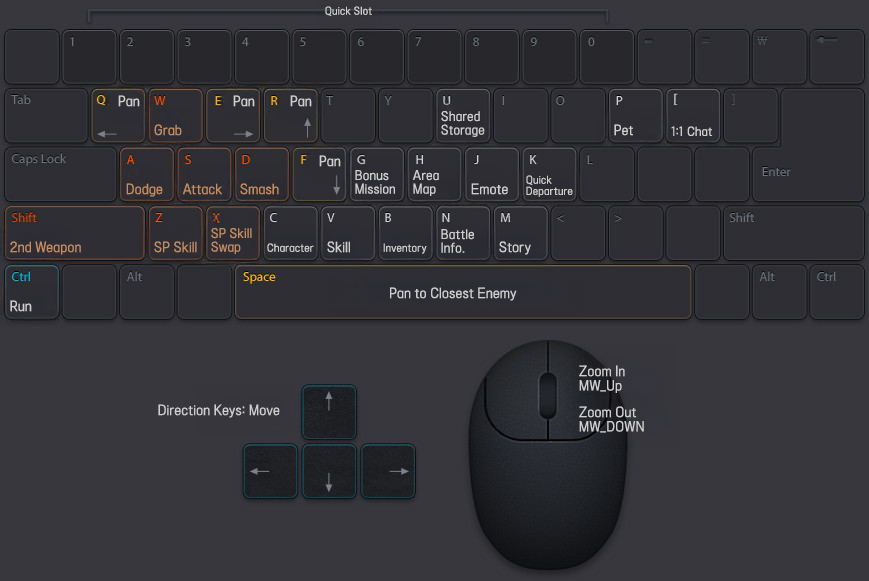
■ Keyboard Mode
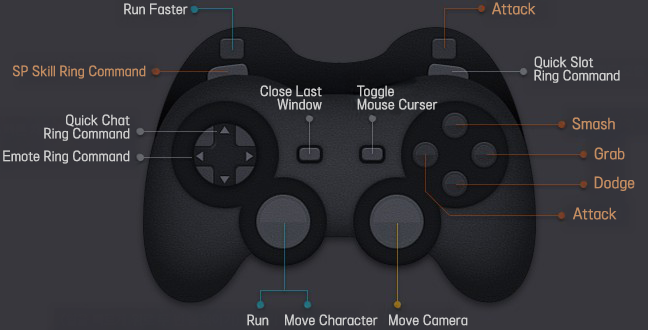
■ Gamepad Mode
■ Other Common Control Keys
1. Interface
| F12 | Quick Ready while waiting for departure (Puts you in Ready instantly) |
| Alt | See nearby details (NPCs, Building Locations, etc.) |
| PrtSc | Take Screenshots |
| Scroll Lock | Video Capture (Press again to end recording) |
| - | Hide User Interface (Press again to show) |
| + | Hide Chat Interface (Press again to show) |
2. Quick Chat & Emote
| F1 | Nice! |
| F2 | Thanks! |
| F3 | I'm Sorry... |
| F4 | Well done! |
| F5 | /greetings |
| F6 | /dance |
| F7 | /salute |
| F8 | /victory |
| F9 | /breakdown |
| F10 | /follow |
| F11 | /sit |
You can change the control keys in-game in [Options > Controls > Advanced Settings] to suit your playstyle.
■ Chat Command
| Effect | Command Input |
| Hotkey Help | /? |
| Switching Chat Modes | Tab, Shift + Tab |
| Moving Tabs | Ctrl + `, Ctrl + Number |
| Guild | /g, /guild |
| Channel | /c, /channel |
| Party | /p, /party |
| Server Megaphone | /sm, /m server, /servermegaphone |
| Channel Megaphone | /cm, /m channel, /channelmegaphone |
| Blessing Megaphone | /sb, /m bl, /blessingmegaphone |
| Talk 1 | /t1, /talk1 |
| Broadcast | /a, /broadcast |
| Whisper | /w character name, /whisper |
| Whisper Reply | [ |
| Whisper Subject's History | ↓ ↑ |
| Maximize Window | /maximize |
| Minimize Window | /minimize |
| Emoticon List | /emoticon |
| Emoticon | +Emoticons to use - You can view the available emoticons in the emoticon list. |
| Emote | /Emotes to use - You can view the available emotes in the Emote (J) window. |
| Voice Emotes | :Voices to use - You can view the available voices in the Emote (J) window. |
| Changing Character Expression | /delight, /no expression, /angry, /pain, /shuteye, etc |
| Create Party and Invite | /invite character name |
| Leave Party | /leave |
| Vote to Kick a Party Member | /kick character name |
| Escape Stuck Character | /escape |
| Switch Channels | /switchchannel channel to move to |
| Enlarge font | /bigfont |
| Decrease font | /smallfont |
| Escape | /escape, /esc, /reset |
| Summon Pet | /summon pet name |
| Dismiss Pet | /dismiss pet name |
| This guide reflects up-to-date information as of May 2021. |
