■ Interface while in Town
|
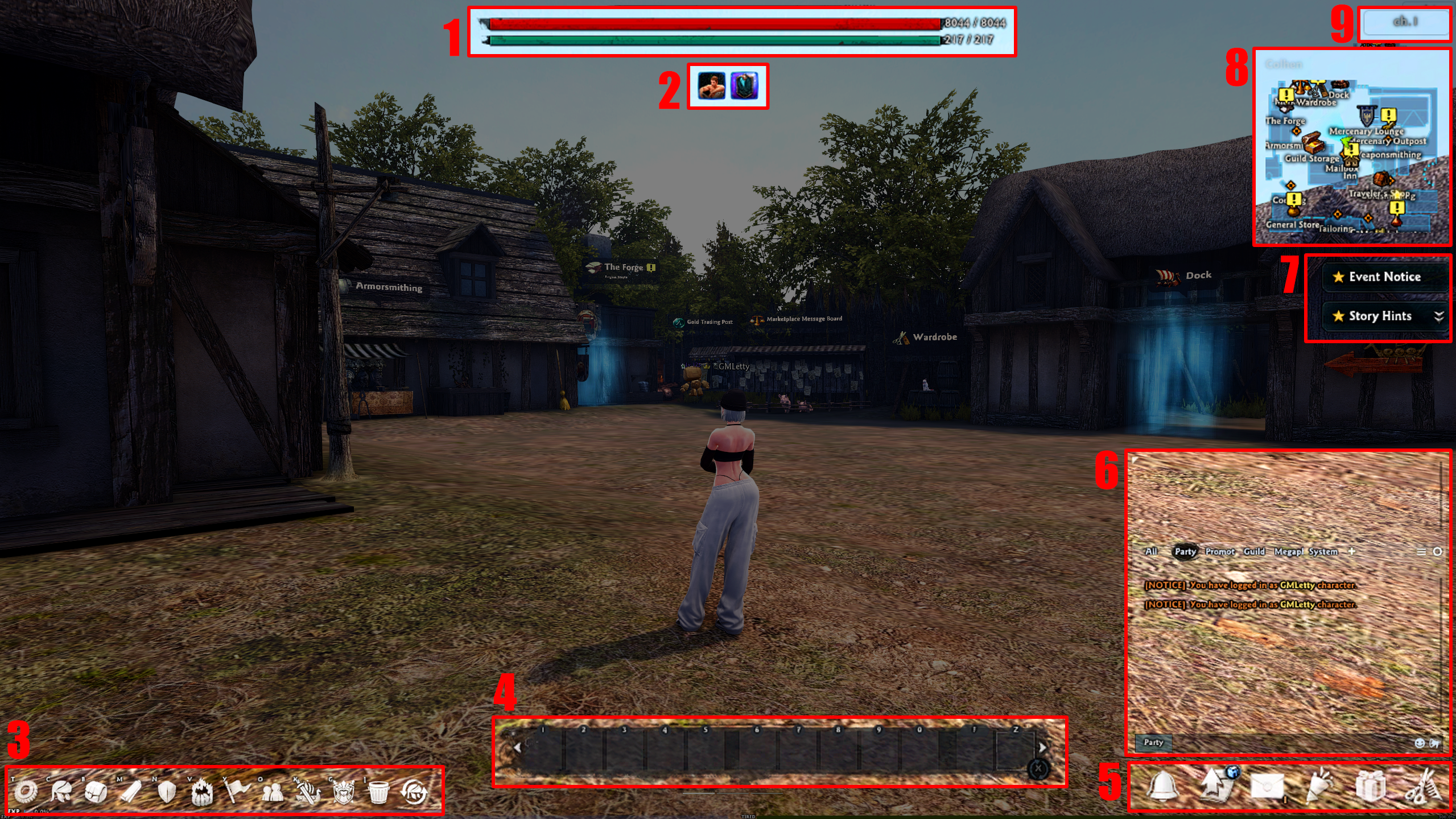
1. You can view how much HP and STA you have for combat. 2. You can view the status effects applied to your character. 3. You can find icons for Menu, Character, Items, Story, Battle, Skills, Guild, Friends, Quick Departure, and more.
4. Active skills, items, etc. can be registered in Quick Slots and used with shortcut keys.
5. You can find icons for Mailbox, Event, Supply Depot, Avatar, and more. 6. The chat window allows you to communicate with your party, guild, megaphone, etc. 7. You can view event notifications and story hint information. 8. The minimap gives you information about the area and the progress of your story. Press Area Map (H) to see the map on a larger screen. 9. You can see the channel you're currently in. You can press the area to move to the desired channel. |
|
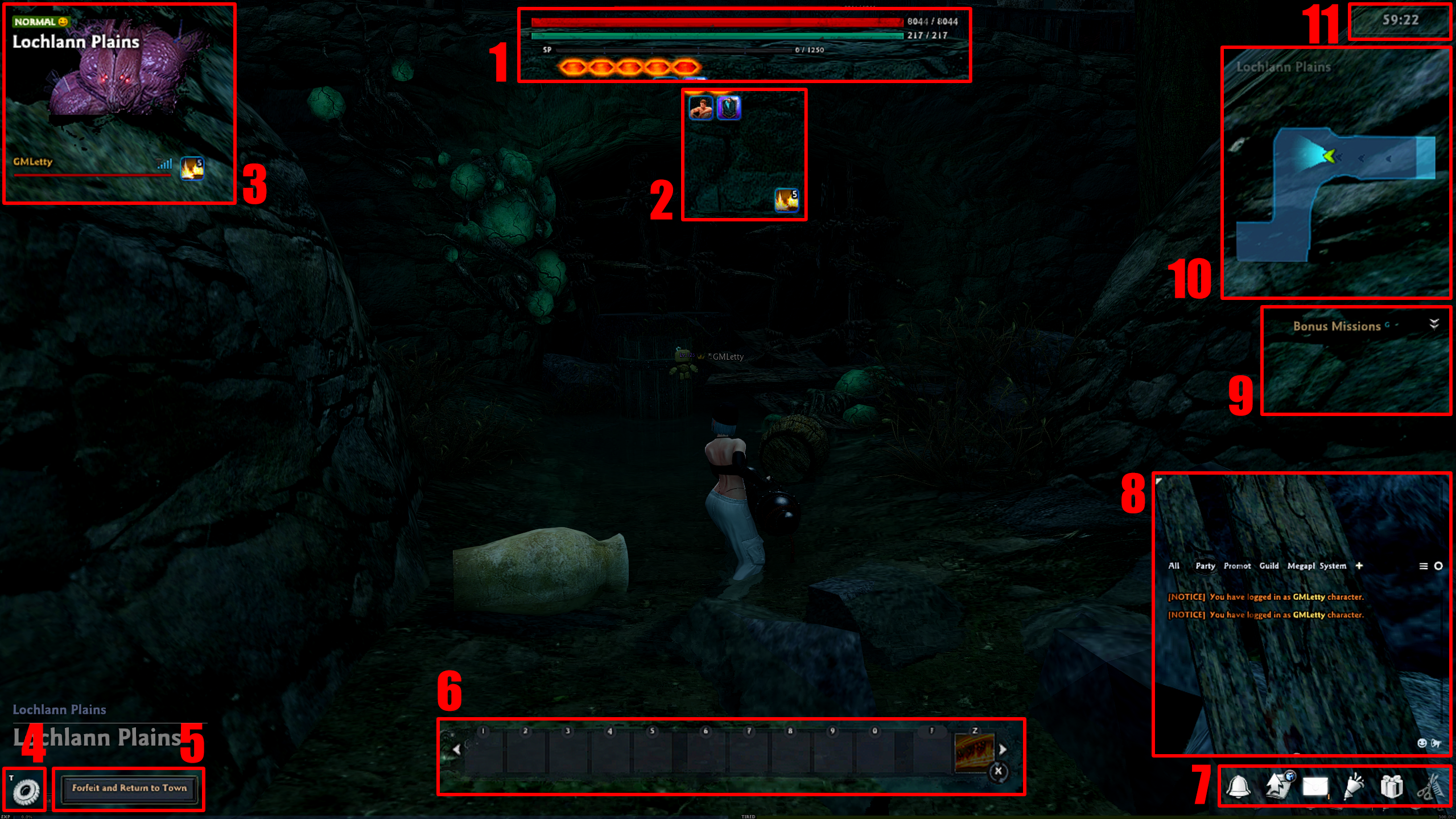
1. You can view the information you need for battle, including your HP, STA, and SP levels.
2. You can view the status effects applied to your character. 3. You can view the name of the battle you're currently in and your party members.
4. You can find the Menu icon. 5. If you decide to forfeit the battle, you can end it by pressing the [Forfeit and Return to Town] button. 6. Active skills, items, etc. can be registered in Quick Slots and used with shortcut keys during battle. 7. You can find icons for Mailbox, Event, Supply Depot, and more.
8. The chat window lets you communicate battle-related system messages and party members. Just like in town, you can also see other chats, such as Guild, Megaphone, and more. 9. You can view your Bonus Missions and status. 10. You can view the battle map. 11. The time remaining in the battle is displayed. |
| This guide reflects up-to-date information as of May 2021. |
