Mercenaries,
Distribution of Test Server Accounts will start at September 16th, 01:00 UTC in our official Discord Community.
Please refer to the guide below for details on how to obtain the Test Server account, and how to access the server.
Official Discord - discord.gg/vindictus
[Distribution of Accounts]
- Accounts will be distributed in the #account-distribution channel.
- You can collect your account data by pressing the Button.
- Once you press the button, the ID and Password for your test server account will appear.
- With the account details, proceed to the following Server Access Guide to log-in.
- Please Note
- You can only receive one account.
- Sharing, selling or purchasing Test Server accounts are strictly prohibited.
- If there are any issues during the process, please contact CMs.
[How to access the Test Server]
- All Participants will gain access to the KR Test Server.
- In order to log-in, you must visit the KR Test Server homepage.
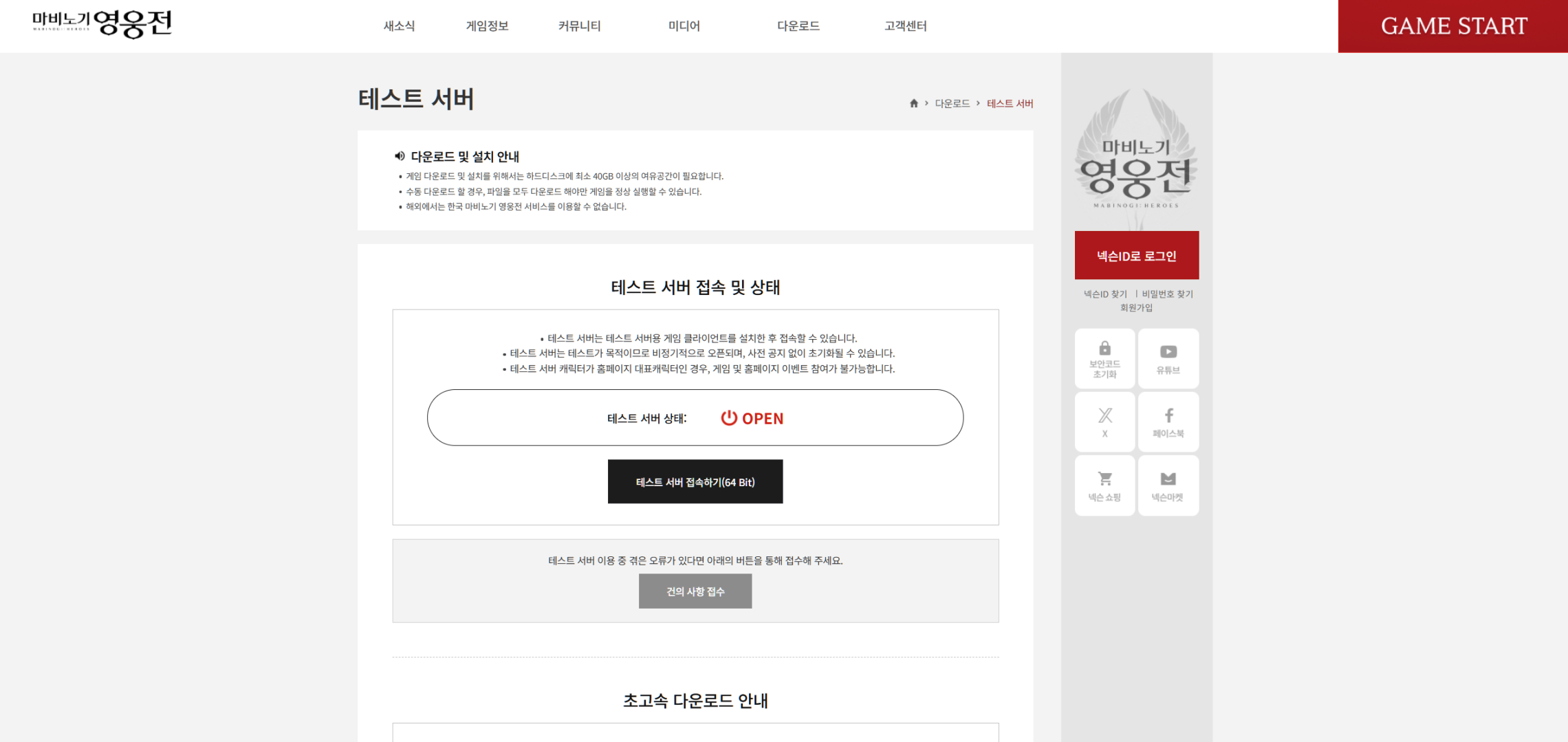
1. Scroll down to find the '초고속 다운로드 안내(Quick Download)' Tab
- Click the 'Gray Button' that reads '클라이언트 다운로드(Client Download).'
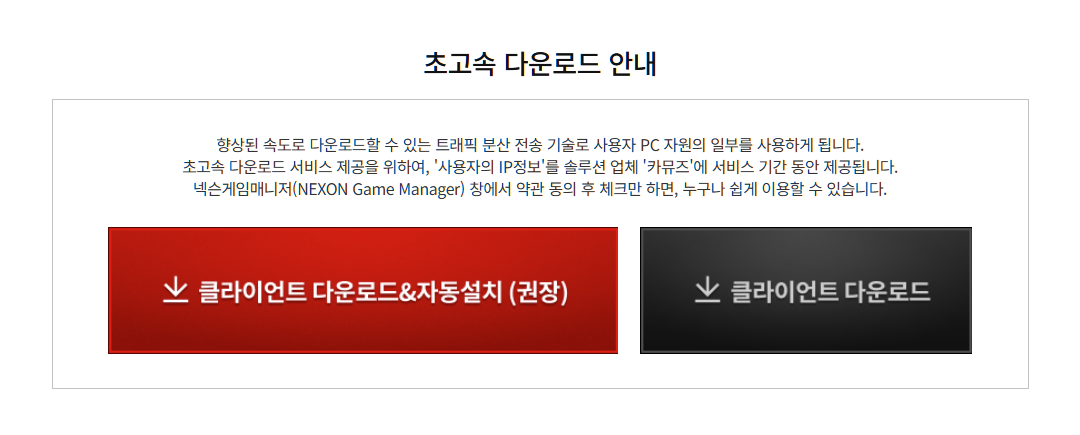
2. Download the Test Server Client
- From the pop-up window, press '설치하기(Install)' on the left.
- This will download the client file named 'heroes_test_nexon.exe'.
- Start the .exe file, and press the blue '다운로드 시작(Start Download)' button to start downloading the client.
- You can set the download path by pressing the green '폴더 변경(Change Path)' button.
- This process can be done 'before' obtaining your test server account.
- Due to the distance between the KR server and your current region, this process may take up to hours.
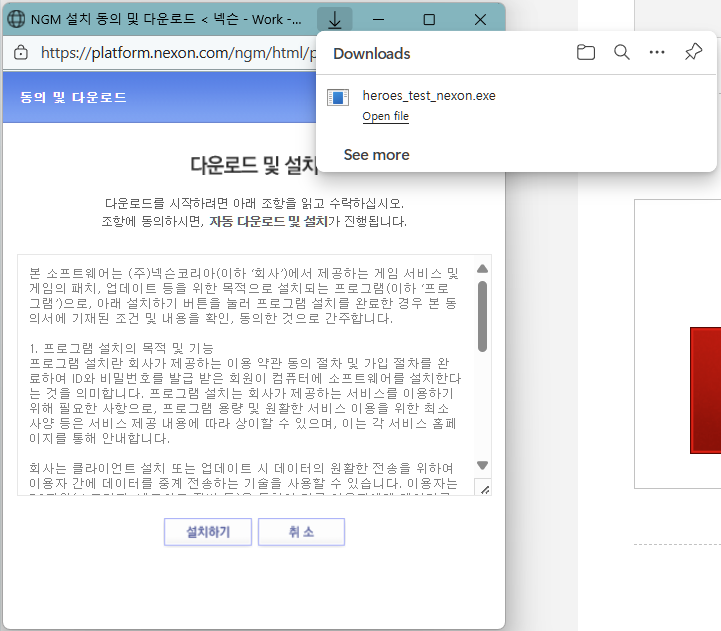
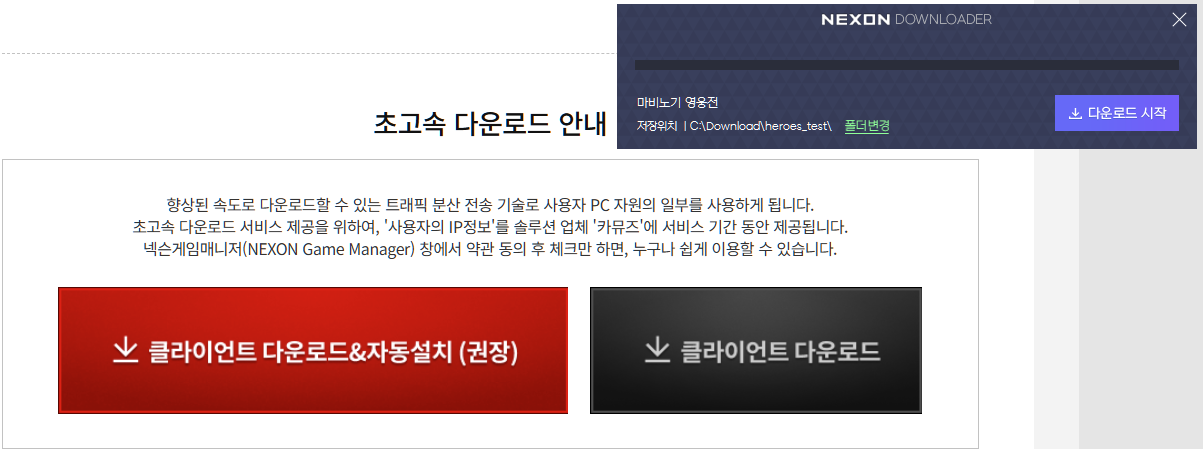
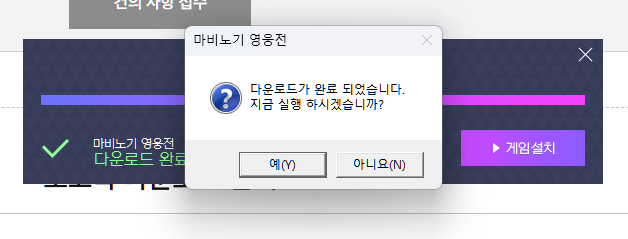
3. Once download is complete, press '아니요(No)'
- A pop-up window will appear when download is complete.
- The window will ask whether you wish to start the client immediately. This requires you to log-in.
- Press '아니요(No)' from the pop-up window and log-in to the homepage using the Red '넥슨 ID로 로그인(Log-in with Nexon ID)' on the top right corner.
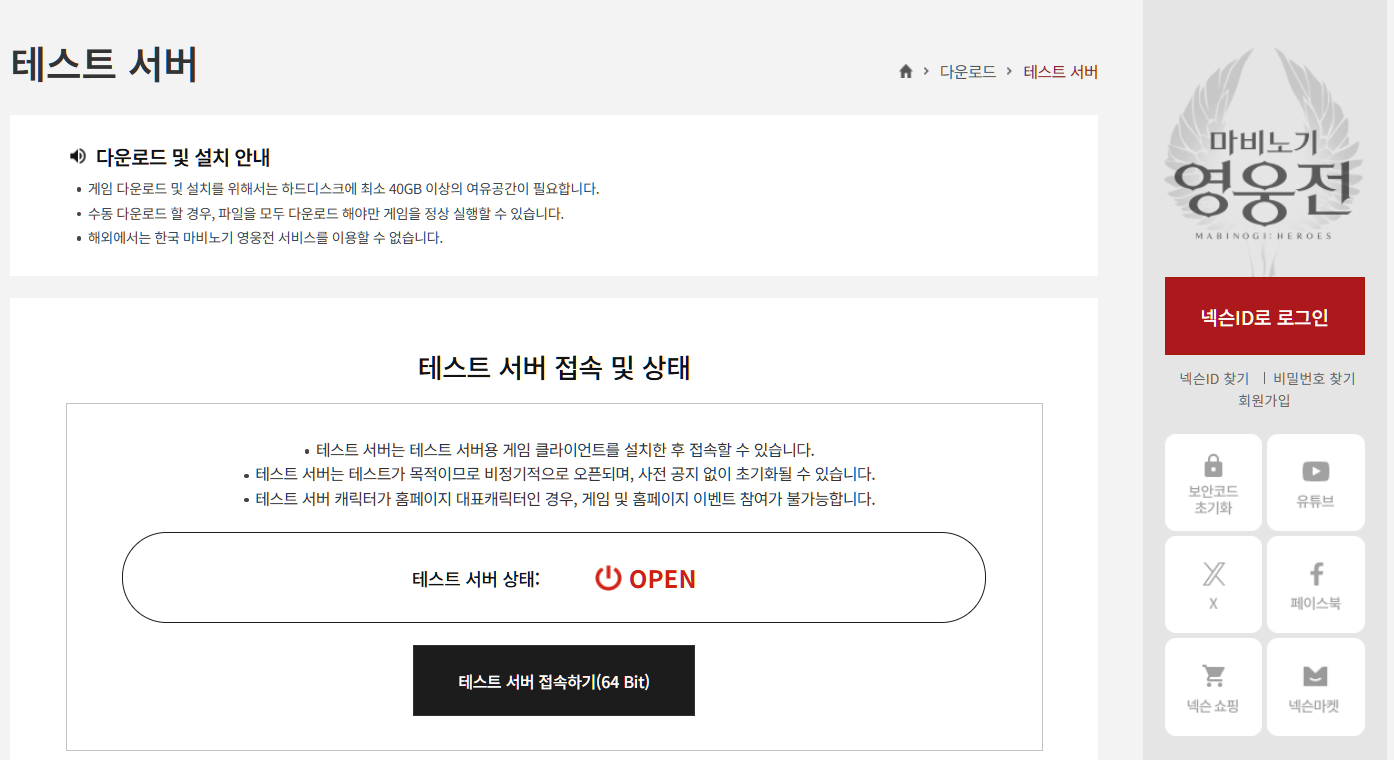
4. Start the client patch process by pressing '테스트 서버 접속하기(Access Test Server)'
- This will ask you to allow 'Nexon Game Manager' to run the client.
- Click on 'Open' to run the launcher.
- The launcher will ask you where to save the client patch files. You can change the path by pressing the gray '폴더변경(Change Path)' button on the left.
- After you set the patch file path, press on the green '확인(Start)' button to start installation.
- Due to the distance between the KR server and your current region, this process may take up to hours.
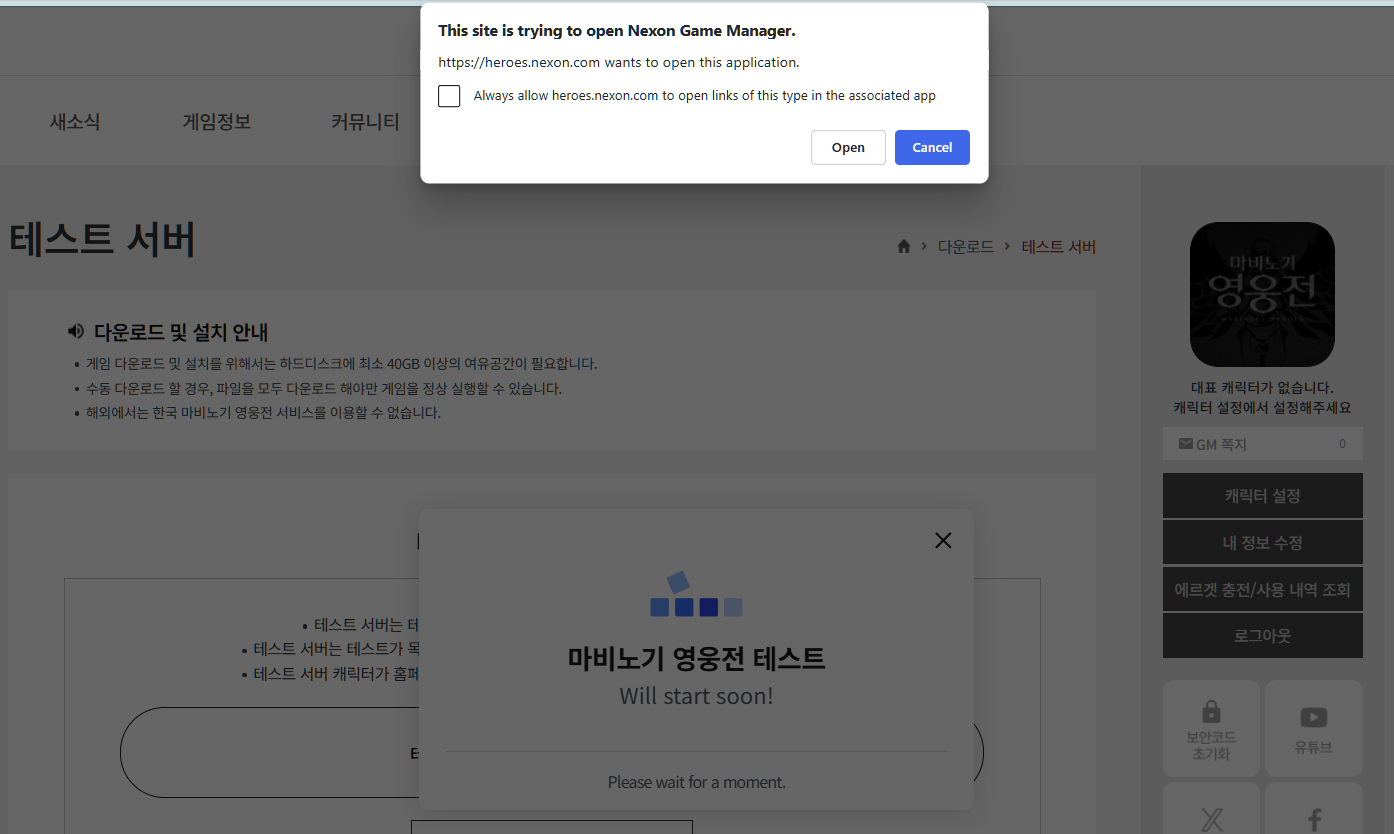
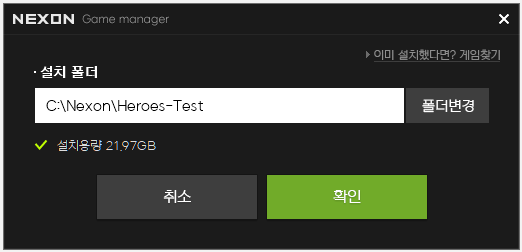
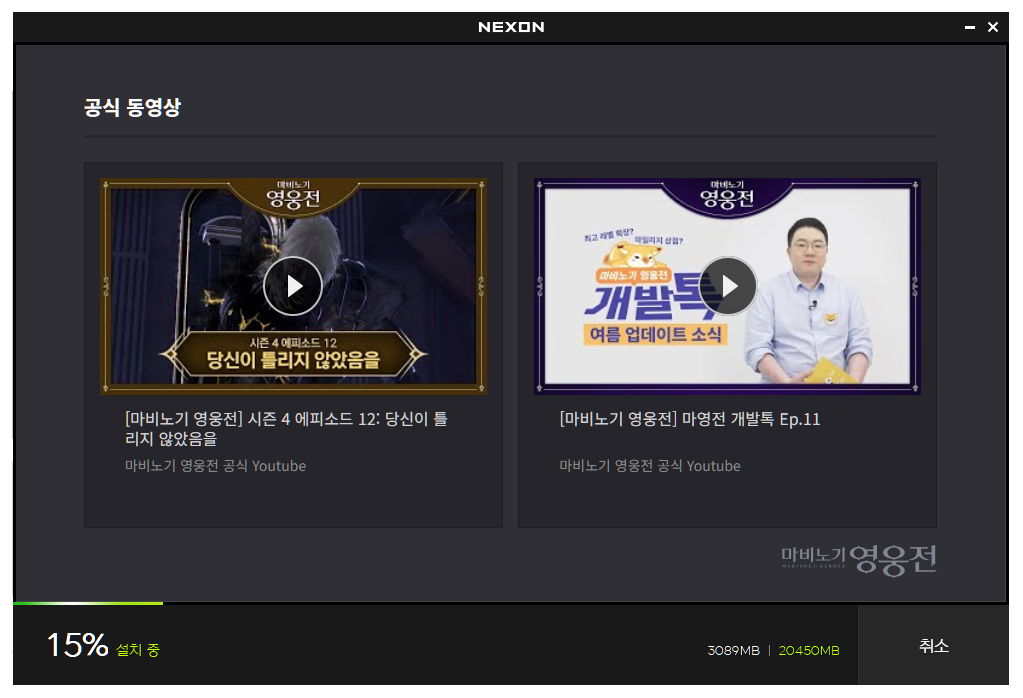
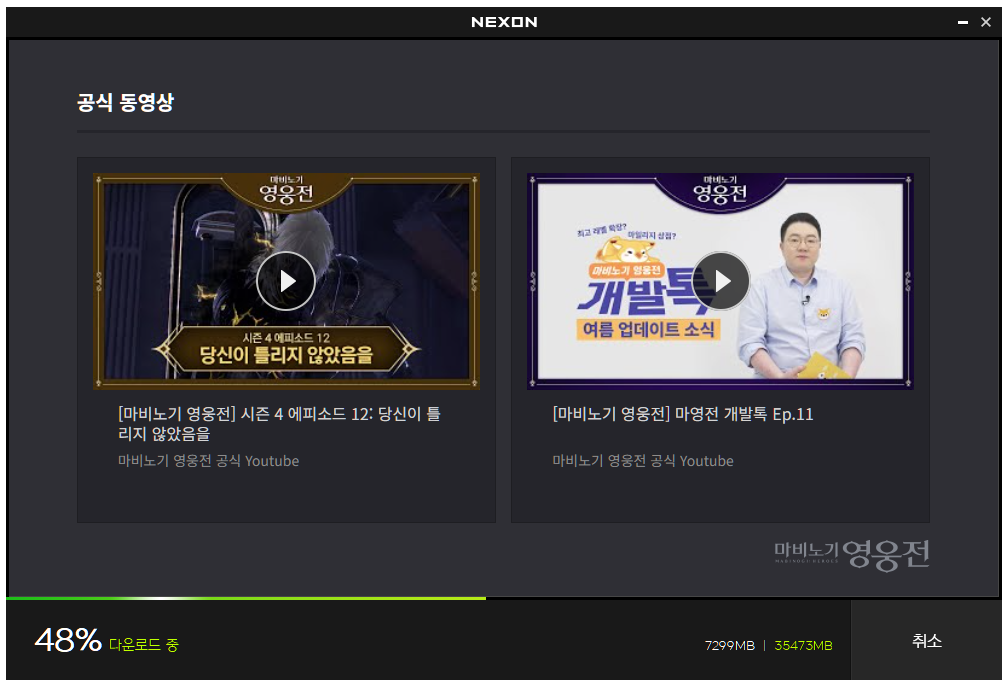
5. Once update is complete, start the client.
- After installation is complete, you will find a green '게임시작(Start Game)' button on the bottom left.
- Press the button to go through an integrity check.

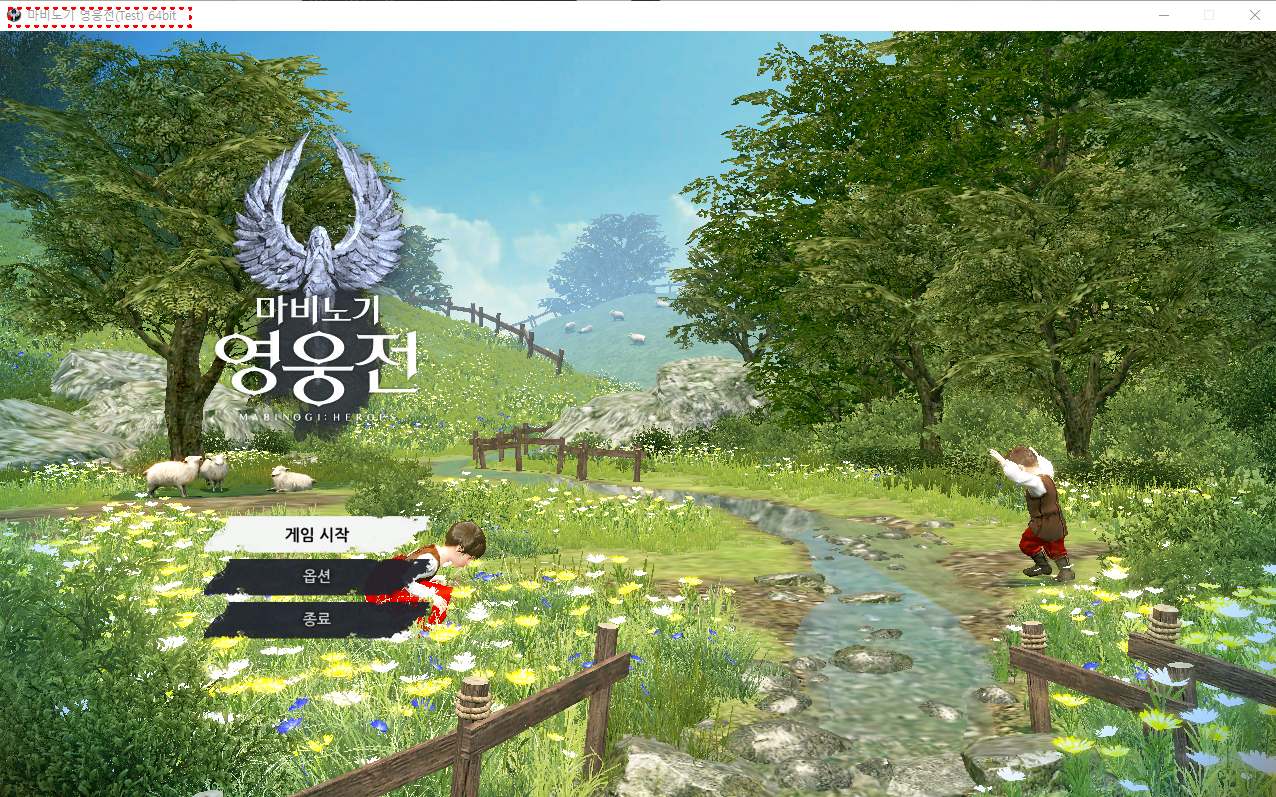
6. Change language settings
- Once integrity check is complete, the client will launch.
- If you are accessing the Test Server, the client name will read '마비노기 영웅전(Test)' in windowed mode.
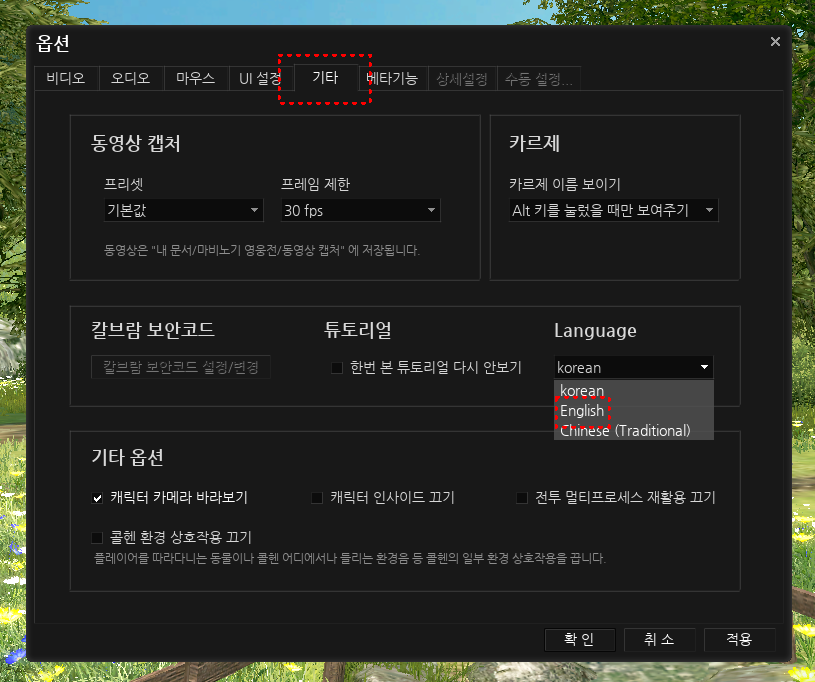
- From the main screen, select '옵션(Options)', and click on the 5th tab: '기타(Others).'
- You can change the client's default language settings to English from the 'Language' settings.
- Once you change the language settings, restart the client to apply changes.
[Please Note]
- Livestreams and Video Recordings of the Test server are allowed.
- You cannot access the KR Live Server with the distributed accounts.
- The Test Server and the Vindictus Live Server cannot be launched at once. If you run into problems during launch, please check whether Vindictus or the Nexon Launcher is active in the Task Killer.
- Do not use Korean names when the language settings are in English or Chinese. This may cause your name to appear in □■ to other users.
- Some text in-game are not yet translated. We ask for your understanding.
