■ Share Comrade / Cancel Share
Characters with two or more comrades that also have an [Eternal Contract] can share them with other characters on the same account.
Click the comrade sharing shortcut on the Skill (Shortcut Key: [V]) menu.
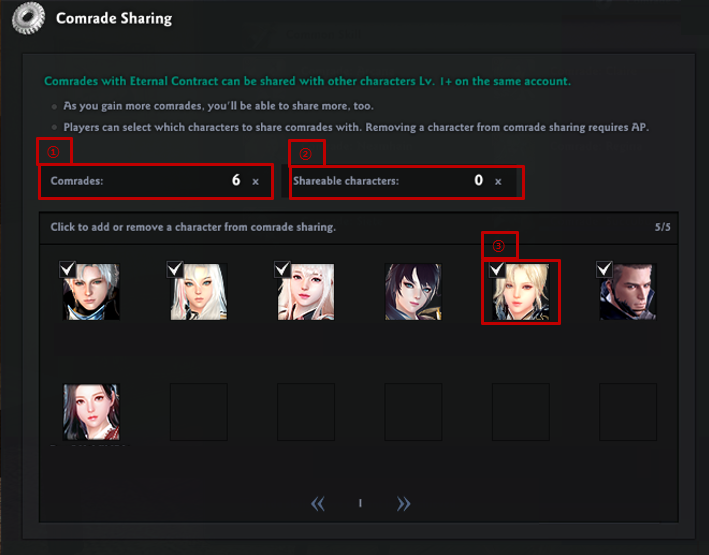
You can review the number of comrades you have, shareable characters, and characters who are currently sharing comrades.
1. Quantity of comrades you own
2. Quantity of shareable comrades
3. Characters who are currently sharing comrades
- Click the empty slot on the upper left area of the Character UI, or the check mark, to share or cancel the sharing of comrades with that character.
- Sharing or canceling the share of comrades between characters within the account will cost 500 AP each time.
- As you gain more comrades, you'll be able to share more, too.
| This guide reflects up-to-date information as of May 2021. |
