Hello, this is the Vindictus team.
We are excited to introduce Airgead, a secondary currency now available in Vindictus after the server update of July 15th.
1. How to Exchange Airgead
You can add Airgead to your account in two ways: by purchasing it from the Supply Depot using NX, or by exchanging it for Gold at the Trading Post.
When you purchase Airgead with NX, it will be delivered to your Temporary Storage Chest.
You must retrieve and use the item from the chest to add the Airgead to your account balance.
Your account can hold a maximum of 2.1 billion Airgead.
You can view your current Airgead balance at any time in the Supply Depot or Trading Post UI.
2. Using Airgead
Airgead can be used to purchase items from the Supply Depot and the Avatar Shop. Items eligible for purchase with Airgead will be clearly marked.
Please be aware that some items purchased with Airgead may be designated only as 'Account Sharable'.
3. Where & How to use the Trading Post
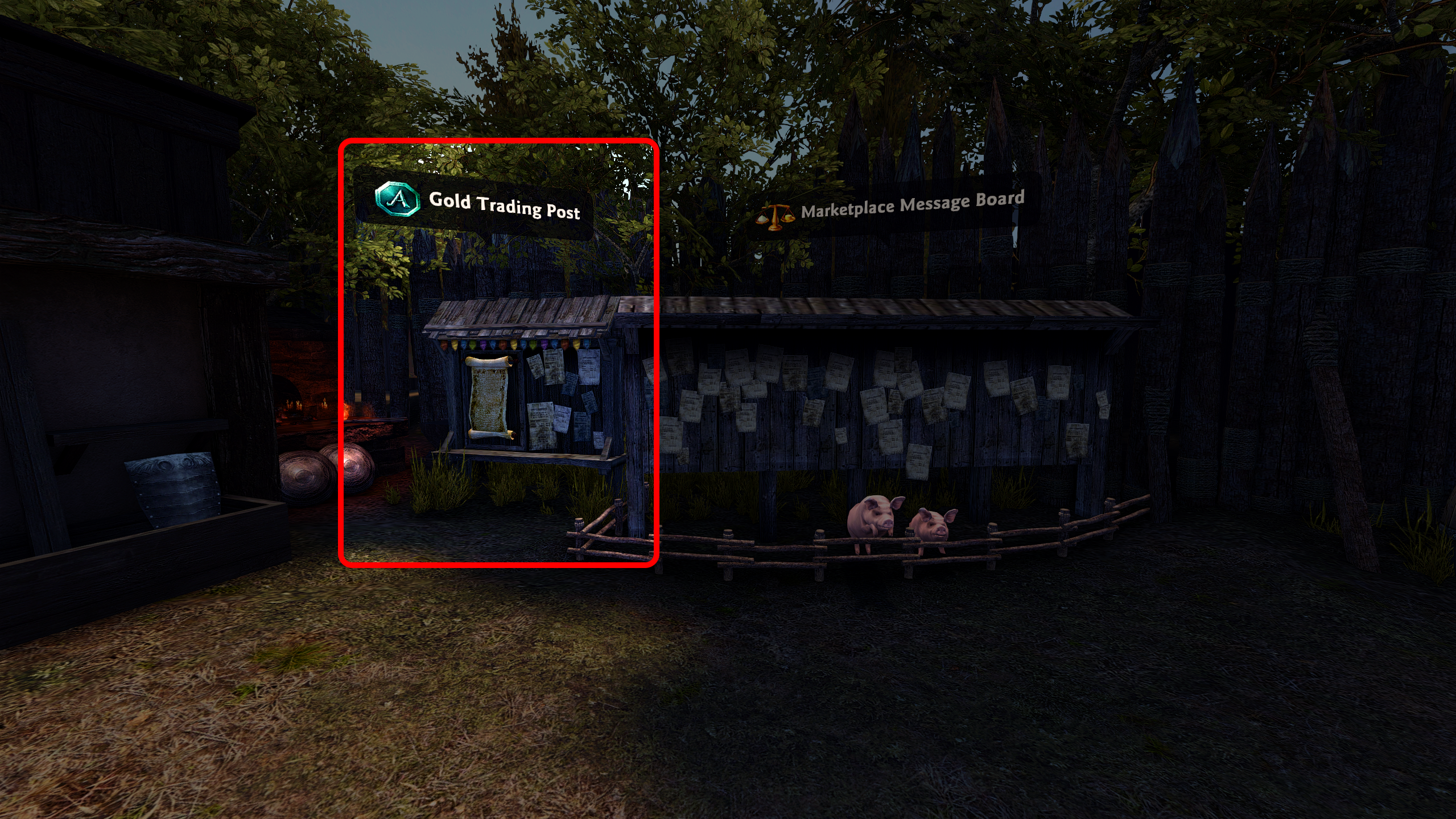
The Trading Post is located next to the Colhen Marketplace Message Board.
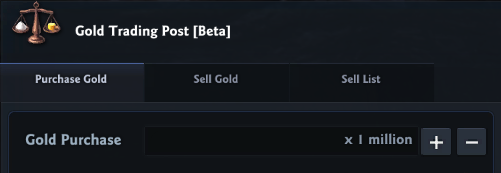
-
Purchase Gold: View listings of Gold currently for sale, sorted by the lowest price.
-
Sell Gold: List your own Gold for sale in exchange for Airgead.
-
Sell List: Manage and track the Gold you have currently listed for sale.
4. How to Purchase & Sell from the Trading Post
1) To Purchase Gold
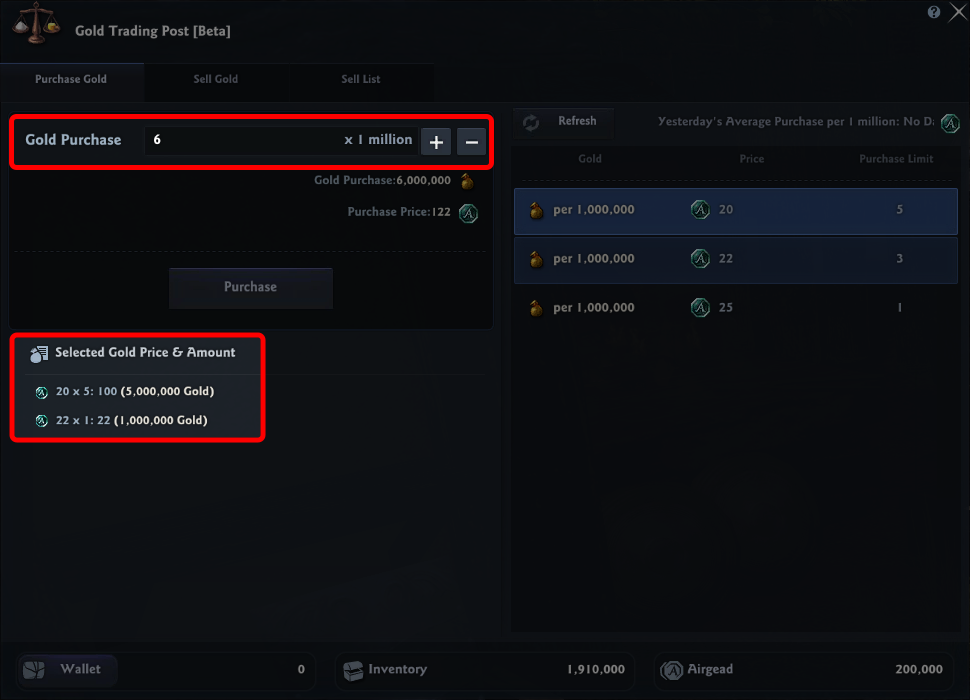
Enter the total amount of Gold (in millions) you wish to buy and click the 'Purchase' button.
The system will automatically buy the requested amount, starting from the cheapest listings currently available.
When doing so, we recommend checking Yesterday's Average Purchase per 1 Million on the top of the list for the general market sales rate.
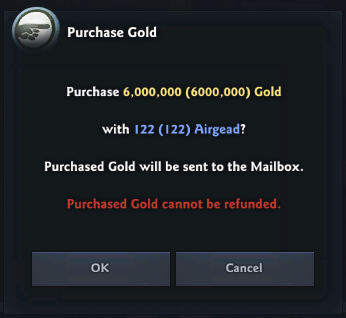
Once confirmed, the purchased Gold will be sent to your in-game mailbox.
All purchases are final and cannot be undone.
2) To Sell Gold
In the 'Sell Gold' tab, enter the total amount of Gold you wish to sell (in millions) and set the Airgead price you want to receive per 1M Gold.
The UI will show you the total Airgead you will receive after the sale is complete, before fees.
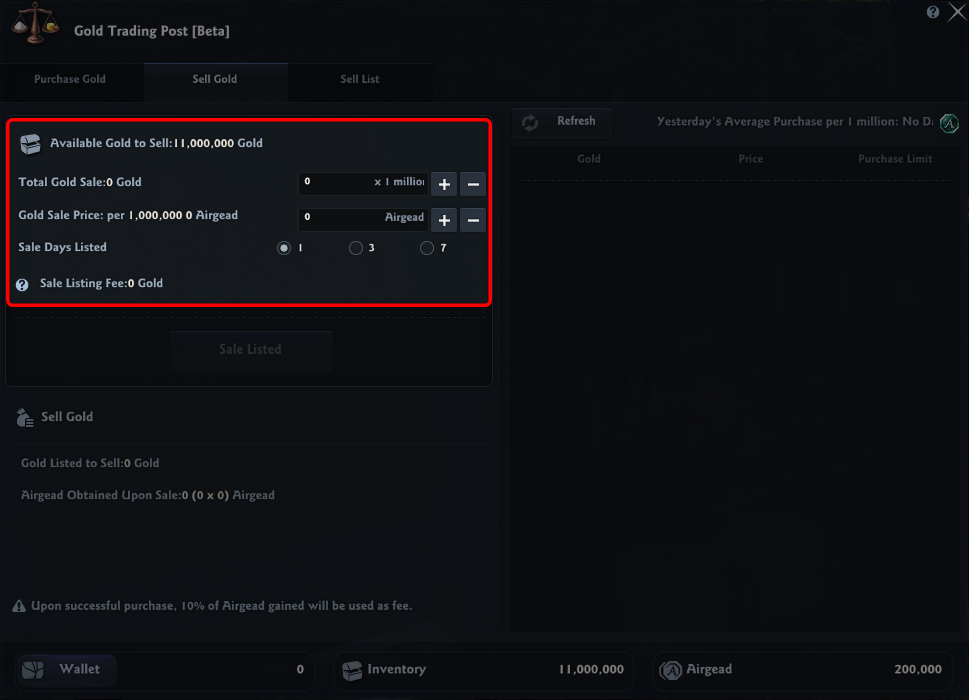
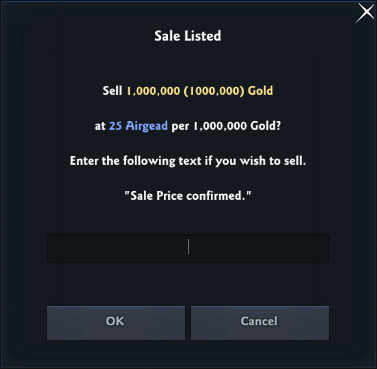
To prevent errors, you must type 'Sale Price confirmed.' into the confirmation box to list your item.
3) To Cancel a Sale
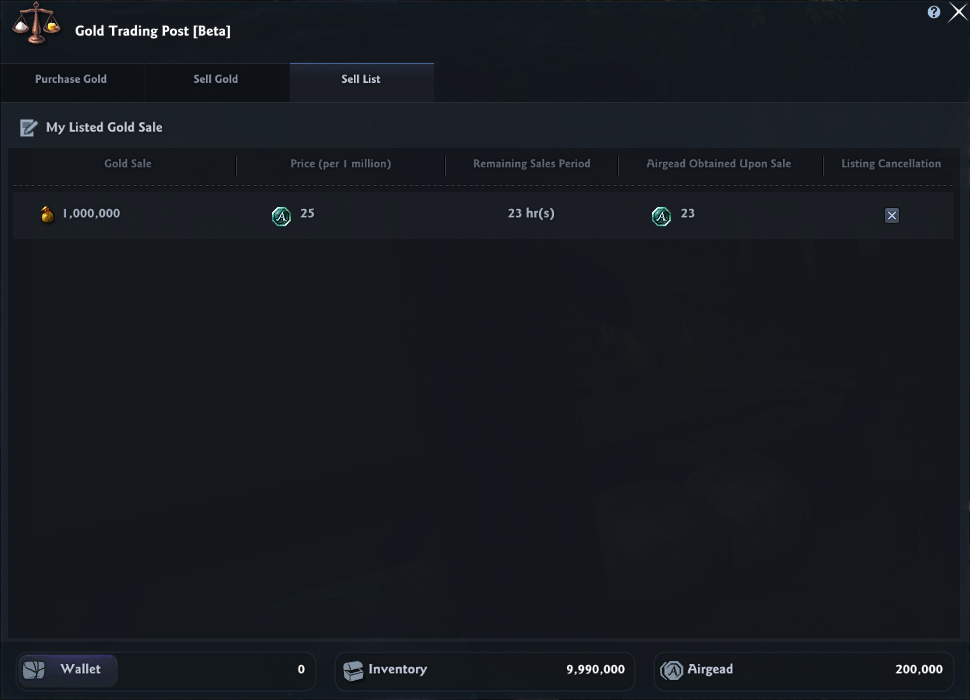
From the 'Sell List' tab, you can view your active listings, including the remaining time.
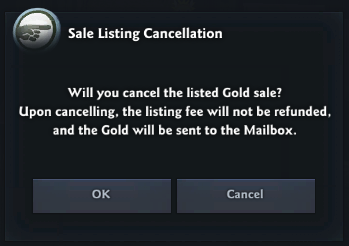
To cancel a sale, simply press the 'X' button next to the corresponding listing.
The Gold will be returned to your mailbox, but the initial listing fee will not be refunded.
5. Trading Post Fees & Policies
All transactions involving the sale of Gold are subject to the following fees:
-
This fee is refunded if your listing expires unsold.
-
This fee is not refunded if the sale is successful or if you manually cancel the listing.
6. Please Note
-
All Gold and Airgead from the Trading Post is delivered to your in-game mailbox.
-
Mail from the Trading Post expires in 30 days. You must claim the contents before then, or they will be permanently deleted.
-
If your inbox contains more than 36 messages, you may not see new mail. Please delete older messages to view the most recent ones.
