■ Guild
Click the flag-shaped icon on the bottom left of the game screen, or press the shortcut key (Y) to display the Guild window.
■ Joining or Creating a Guild
If you are not in a guild already, you can create one or request to join one.
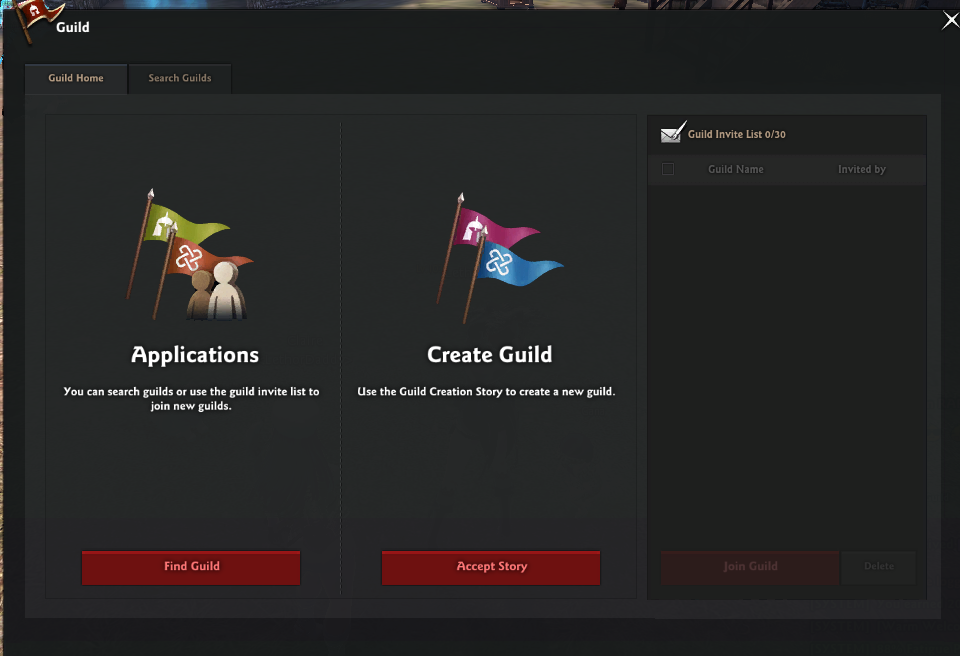
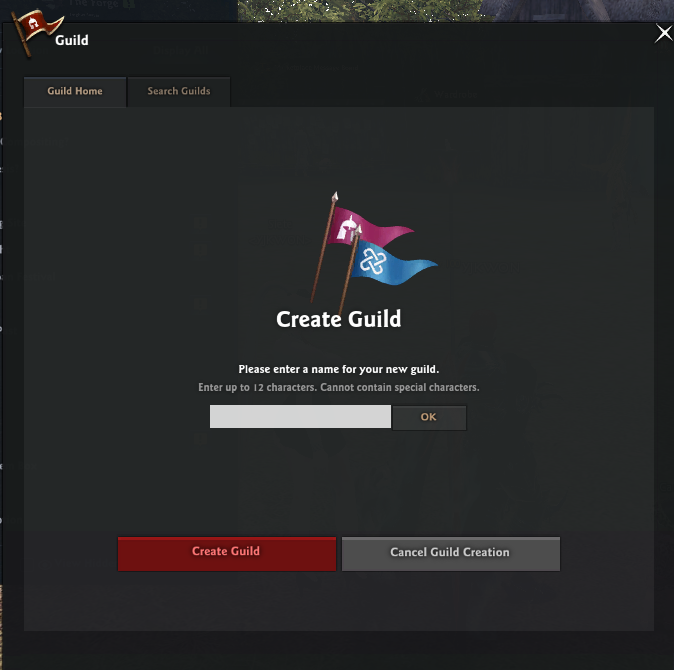
Through the Guild Creation story, a Lv. 20+ character can speak with the Guard in front of the Castle or with Ceara to create a Guild by paying 300,000 Gold.
If you have successfully created or joined a guild, the window that shows your guild's information will display on the guild menu.
■ Viewing Guild Information
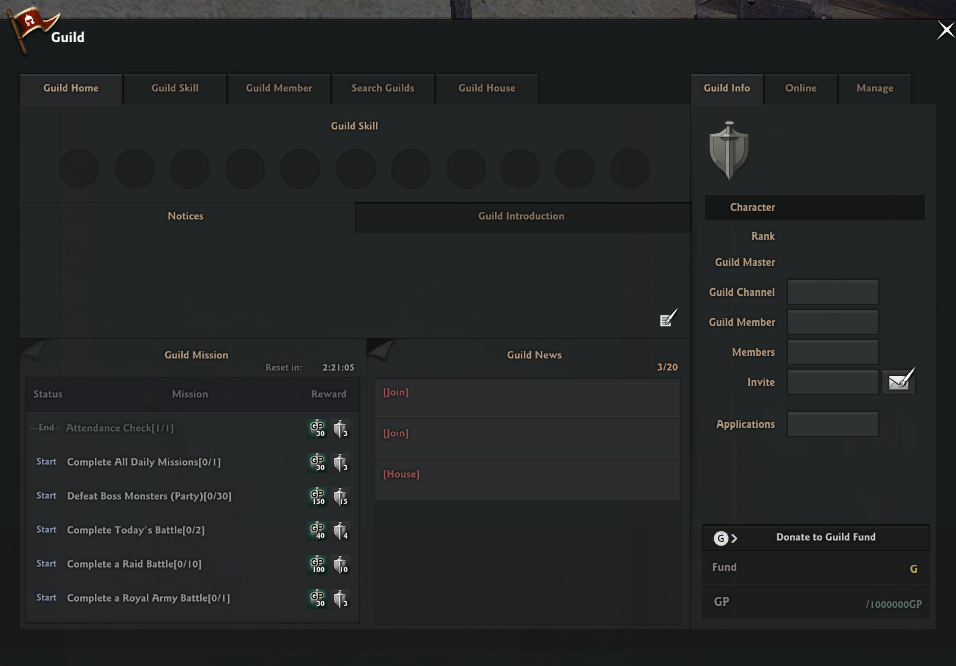
- Guild Skill: You can see the list of Guild Skills available
- Notices: You can write posts to guild members. Users other than members cannot see messages here.
- Guild Introduction: You can write an introduction of your guild here for non-members to see.
- Guild Missions: You can see the list of Guild Missions that give GP upon completing. (Resets every day at 07:00 UTC.)
- Guild News: New notices, changes to the introduction, new joins and leaves or any changes to the guild can be seen.
- Guild Name: The name of your current guild.
- Guild Channel: Pressing this will move you to the designated channel.
- Invite: By pressing the mail icon, you can send an invite to a certain character.
- Donate to Guild Fund: You can donate to the Guild.
- Fund & GP: You can see the current Guild Fund and GP status.
|
| This guide reflects up-to-date information as of March 2025. |
