Vindictus is famous for its hard-hitting battles and a solid story.
You can discover exciting stories and quests in the beautiful towns of Colhen, Rocheste, and more.
In this section, we're going to go over what you need to know to enjoy the story to the fullest.
There are five types of Stories: The Main Story, Sub Stories, Equipment Stories, Content Stories, and Event Stories.
| Type | Content |
| Main Story | The main storyline of Vindictus progresses episode by episode, allowing you to play through the story of Vindictus as it is updated. |
| Sub Story | You can play through short stories that are separate from the main story. |
| Equipment Story | You can purchase an equipment crafting story from an NPC to play these stories centered on crafting equipment. |
| Content Story | Excluding normal battles from the main story or sub stories, you can be guided through various content in Vindictus via the content stories. |
| Event Story | You can play stories required to progress through an event. |
You can receive stories from NPCs, participate in battles, and progress through various storylines.
You can view the Story window by tapping the Story icon in the lower left corner or by pressing the default shortcut key (M).
In the Story window, you can view the story you're currently progressing through.
Clicking the story title will display the story information (how to progress and rewards) as shown below.
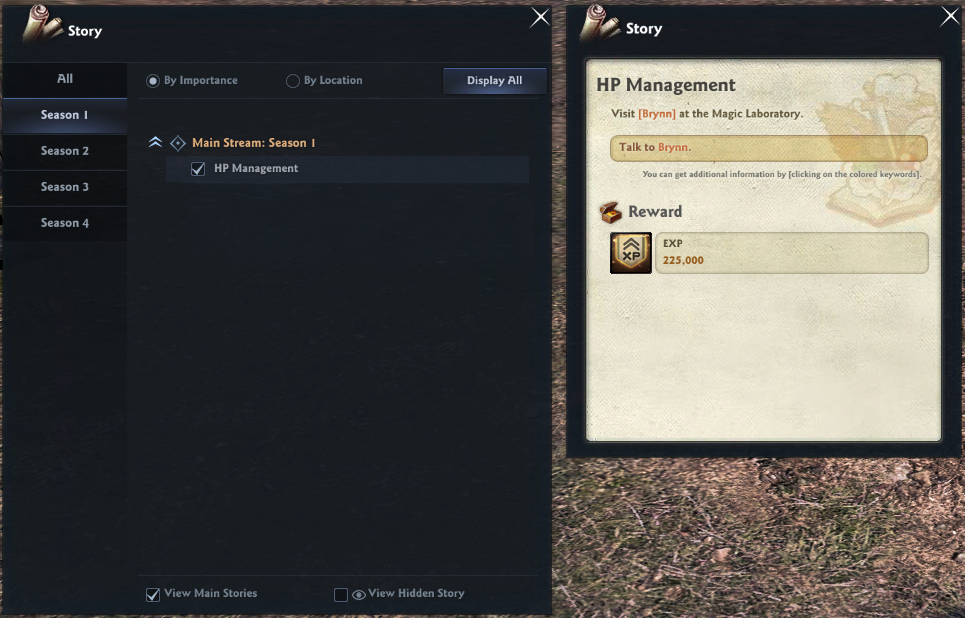
You can also click on the [Colored Keywords] in the story information to get additional information.
| Keyword Color | Information Type |
| [Blue Keyword] | Battle Details |
| [Green Keyword] | Item Tooltip |
| [Orange Keyword] | NPC location & information |
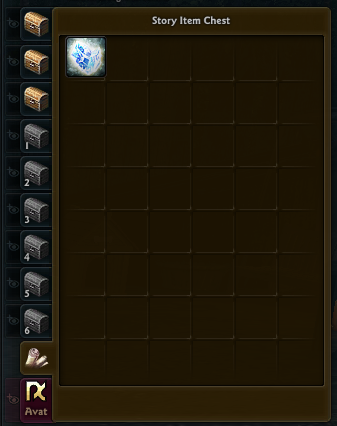
Some of the items you'll need to progress in your story can be found in the 'Story Item Chest' in your Storage Chest as shown below.
■ Hiding Stories
- Stories you do not wish to progress can be hidden from view by clicking the Hide button next to the story's title.
- Hidden stories are neither displayed in the story list nor beside the relevant NPCs.
- However, Main Stream stories cannot be hidden, so they do not have a corresponding icon.
- After checking the box for 'View Hidden Story' in the bottom right corner, press the hide button again to resume the hidden story.
■ Story Location
Each NPC location on the minimap will have a special marker depending on your quest progress.
Stories that can be progressed(marked with !), are in progress(marked with ...), or that can be completed(marked with ?) are marked, and talking to the NPC will allow you to complete quests or progress stories.
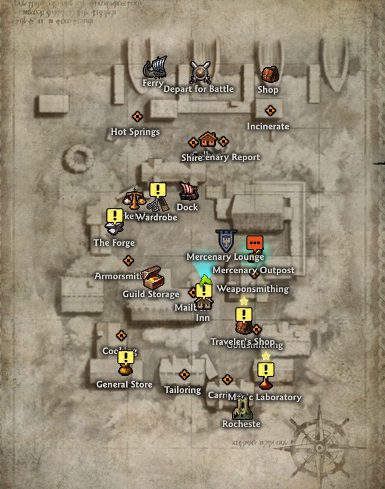
The color of the text bubble indicates the type of story and the Main Stream season.
| Map Bubble Color | Story Type |
| Red | Season 1 Main Stream Story |
| Light Green | Season 2 Main Stream Story |
| Blue | Season 3 Main Stream Story |
| Purple | Season 4 Main Stream Story |
| Yellow | Stories outside Main Stream |
Talking to an NPC with 'Story' will allow you to progress or complete the story.
When you complete a story, you can earn story rewards. Story rewards are usually experience and gold, but you can also earn special rewards based on the story.
■ Dialogue Skip
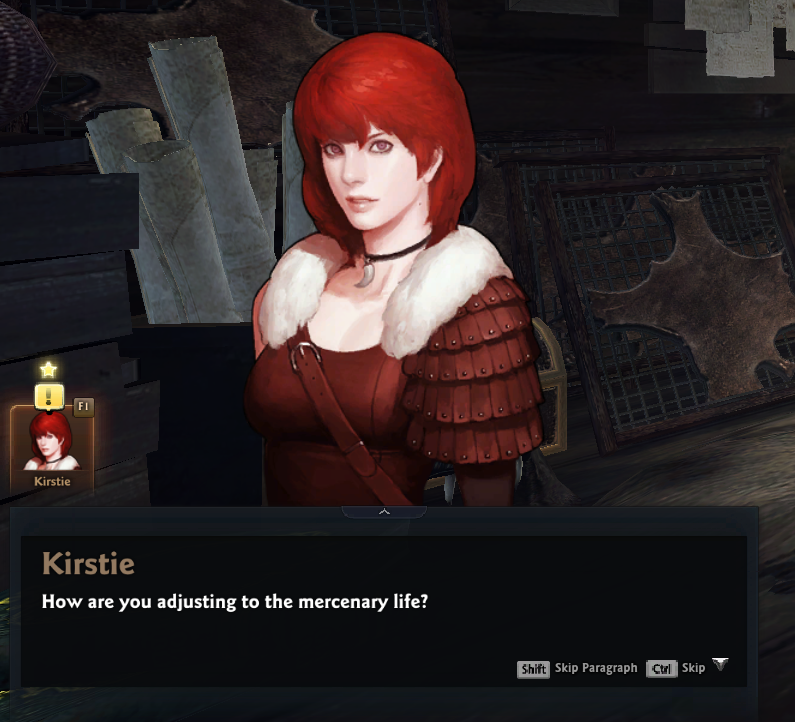
If you're engaged in chitchat, conversation, or story talk with an NPC and want to skip through the dialogue for faster progression, you can do so by pressing the Ctrl key.
If you want to move through conversations with NPCs faster than [Skip (Ctrl)], you can skip by paragraph by pressing the Shift key.
■ Story Progression Mode
If you click the 'Story Progression Mode' button without selecting the battle region or battle, you can immediately enter and play the battle corresponding to the story.
However, if you are already in a party, you cannot enter the battle via the ‘Story Progresssion Mode.’ You must be in solo play mode.
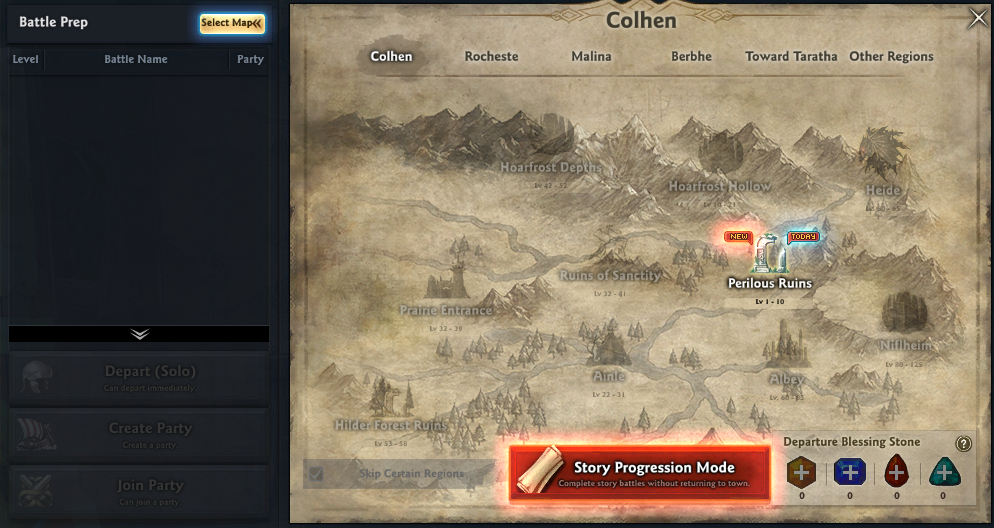
After all battles in the story are completed, click the 'Next Story' button in the Battle Completion window to continue to the next story battle without returning to town.
If the there are parts that must be completed manually to progress the story, you must return to town, complete the story as before, and then enter the battle again.

■ Fast Story Progression
Pressing the story notification icon added to the Story window or Story Hints will immediately advance the story without visiting NPCs.
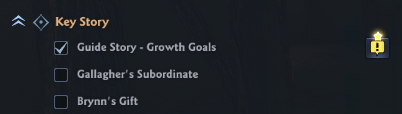
All stories are eligible for fast story progression, except in the following situations:
- Stories that must be progressed manually.
- If there is no NPC to progress the story.
- You cannot complete a story objective because you do not possess the items needed to progress in the story.
- You are already talking to an NPC.
| This guide reflects up-to-date information as of August 2023. |
