■ Temporal Missions
Temporal Missions are daily/weekly/monthly missions for each character that provide useful reward items upon completion.
■ How to check Temporal Missions
You can find your temporal mission status with these two options:
- In the notification window that appears as soon as you log into the game, you can click on the respective tab for Daily/Weekly/Monthly missions.
- Click the Event icon(bottom right corner of the game screen) > Temporal Mission > Click the respective tab for Daily/Weekly/Monthly missions.
If there is an event associated with Daily Missions, you can also earn an event-related coupon by completing all three Daily Missions.
■ What are the rewards for Temporal Missions?
- After completing each mission, you can earn the following rewards.
- The items in blue are rewards that can be obtained for completing (Battle) Temporal Missions.
- For Daily Missions, you can earn an additional Daily Mission Ticket by completing all three daily missions.
| Daily Mission | Weekly Mission | Monthly Mission |
| Exquisite HP Potion x5 | Element Stone Catalyst x5 | Monthly Mission Ticket x1 |
| Merc Recovery Potion (Gift) x1 / x3 | Orna Seal x1 / x2 | Orna Seal x4 |
| SP Recovery Potion x2 | Uaithne Seal x1 | Uaithne Seal x2 |
| Resenlian's Wings (1 time, Gift) x3 | Eriu Seal x1 | Eriu Seal x2 |
| Magic Powder x5 | New Era Material Destiny Box [AS] x1 | New Era Material Destiny Box [AS] x2 |
| Goddess Grace (Party, Gift) x1 | Abyssal Shard Box x1 | |
| AP 50 Capsule (Gift) x1 | ||
| Normal Pet Food (Gift) x3 | ||
| Blessed Magic Powder x1 | ||
| Ceara's Fatigue Potion (Gift) x1 | ||
| New Era Materials Destiny Box [AS] x1 | ||
| Enhanced New Era Materials Destiny Box [AS] x1 / x2 |
- Upon mission completion, be sure to click the Reward gift icon to claim your completion reward!
- Characters sharing equipment will share (Battle) mission progress and reward status.
■ How should I use my Daily/Monthly Mission Tickets?
- If you've earned enough Daily and Monthly Mission Tickets through consistent participation, you can exchange them for useful items at the Exchange Shop.
- To check the Exchange Shop, click the Event icon in the bottom right corner of the game screen, then click Exchange Shop in the Event window.
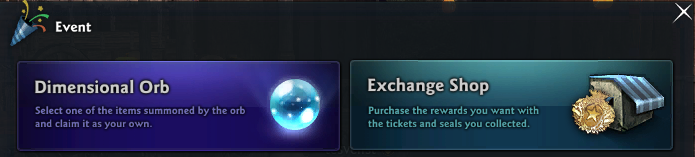
- Click the Daily/Monthly Mission ticket icon in the Tickets list on the left to see a list of items that can be redeemed with that ticket.
■ What are the reset times for each mission?
- The reset times for each mission are as listed below.
- If you've completed a mission, please make sure to claim your completion reward before they reset. After the reset, you will not be able to receive rewards for previously completed missions.
| Daily Mission | 07:00 AM UTC daily |
| Weekly Mission | 07:00 AM UTC every Tuesday |
| Monthly Mission | 07:00 AM UTC on the first day of every month |
| This guide reflects up-to-date information as of August 2025. |
