
■ How to Depart for Battle
Battles in Vindictus take place in dungeons. To enter a dungeon, you must depart for a battle.
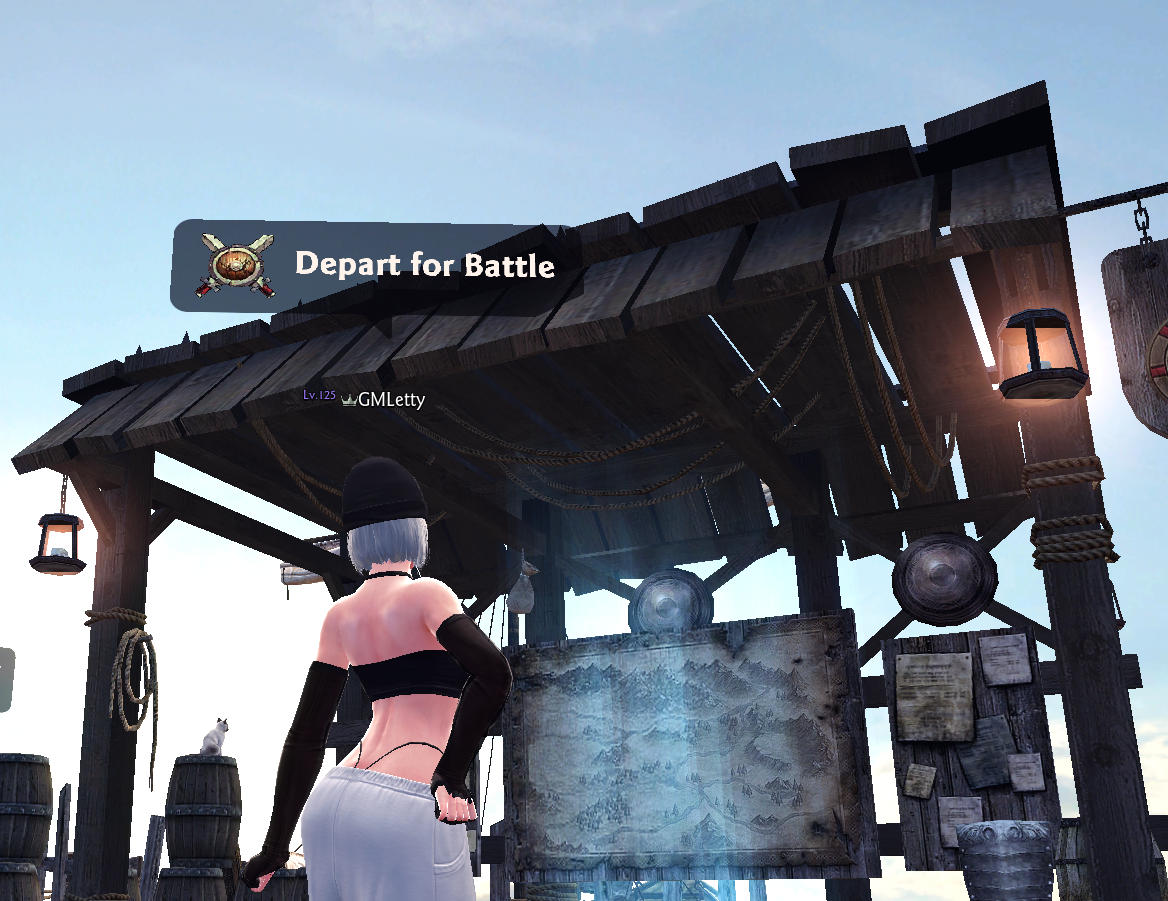
You can depart from battle via signposts that can be found near the docks and other locations in town.
Upon approaching a sign that reads "Depart for Battle," the following window will pop up.
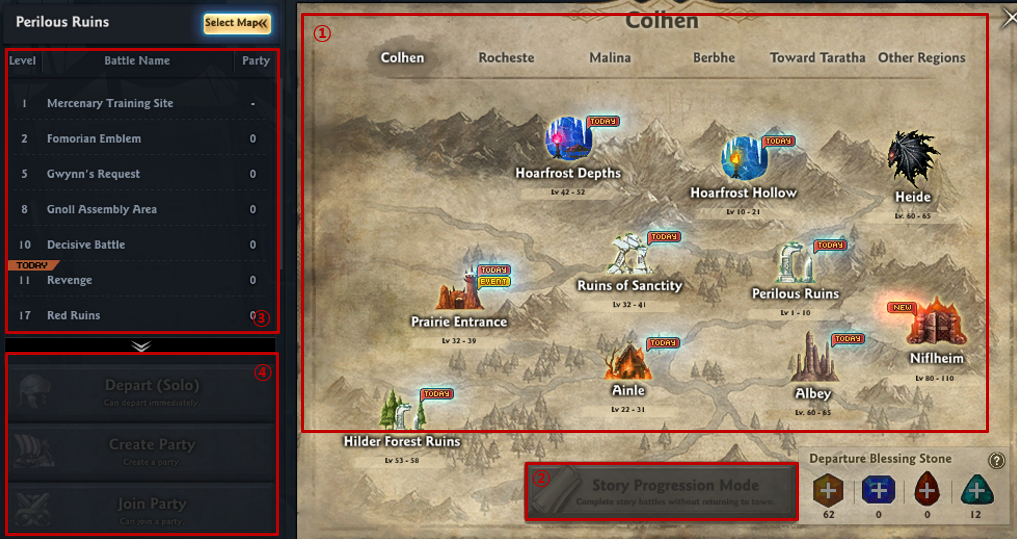
1) Select the area where you want to depart to.
2) If you're departing for battle to complete the story that you're progressing through, click on Play Story to immediately move to the next relevant battle.
3) Select the map to see a list of battles that you can depart for in that area.
4) After selecting the battle, you can select Solo Play / Create Party / Join Party (if there is one) before departing.
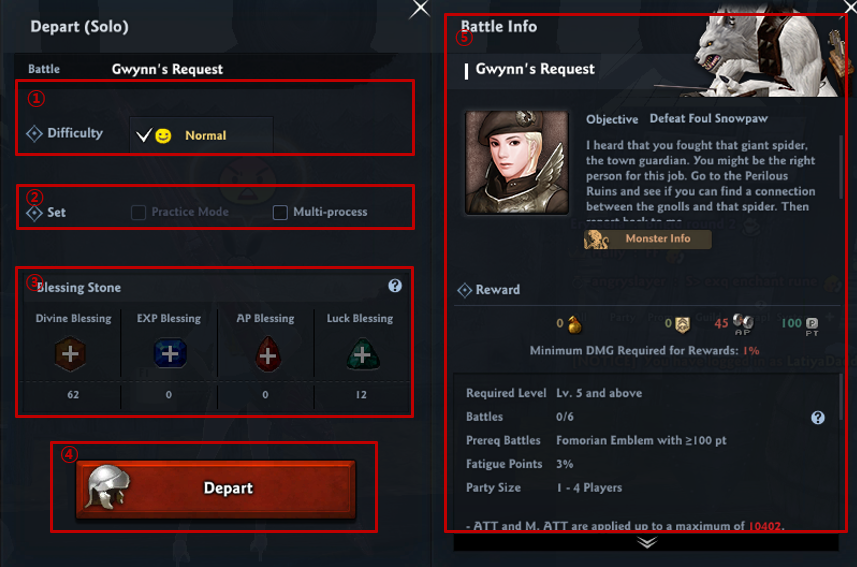
You can see details of the battle, like above, upon selecting Departure Mode.
1) Select the difficulty of the battle.
2) Check Practice Mode / Multi-process Mode from settings.
- Multi-process allows for a seamless game play experience.
3) Use "Blessing Stones" that can increase battle EXP, the AP obtained, LUK, etc.
4) The detailed information of the selected battle.
5) Click "Depart" after completing your selections.
[Depart (G)]
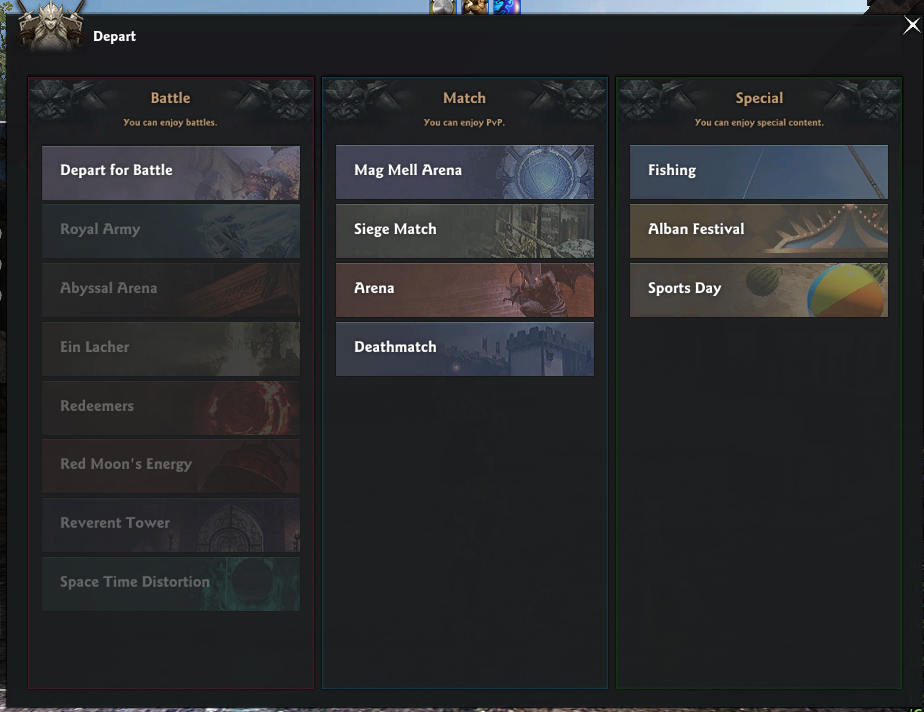
You can also depart for battle through the [Depart for Battle] window, without approaching a battle departure sign.
Instead of finding a sign, you can depart freely by using "Shortcut Key G" to open the UI (shown below).
- You cannot depart for battle while talking with an NPC or while you're in a building.
[Quick Departure (K)]
We just went over how to enter battles by using the "Departure" function.
But there's actually an even faster and easier way to depart: The "Quick Departure" system.
You can use Quick Departure from anywhere in town using Shortcut Key (K).
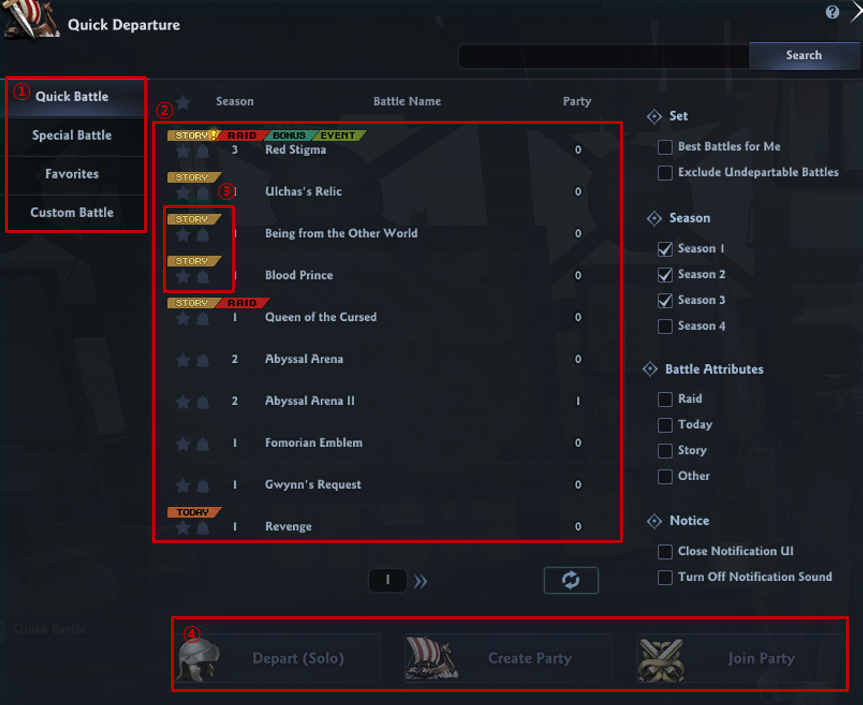
1) A list of battles you can depart for using "Quick Departure," and your favorited battles.
- The party leader can't set the minimum requirements for party members in [Quick Battle],
but you can earn "Quick Battle Benefits" including bonus cores. These are based on the damage dealt to the boss or the party size (4 players). - The party leader can set the minimum requirements for party members in [Custom Battle], but no additional benefits will be provided.
- You can see a total list of special battles, including Royal Army raids and Abyssal Arena, from [Special Battle].
- You can see a list of battles you've registered as your favorites from [Favorites].
2) A list of battles you can depart for.
3) Select the "star" and "bell" icons to register that battle to your [Favorites]. When a party for a favorited battle is created, you will get a notification and a sound alert.
4) Click on the battle to begin. A button will appear to create a party or join an already created one.
You can easily create a new party (like below) by selecting "Create Party."
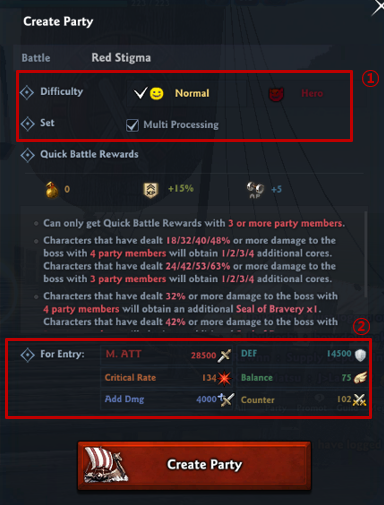
1) Click "Create Party" to select the difficulty and multi-processing settings.
2) The entry requirements for potential party members.
- Unlike normal departures, [Quick Battle] requires Battle Power and stats appropriate for the battle's level and difficulty. You can't depart for battle if a character doesn't meet the entry requirements.
- Like normal departures, you can set the desired entry requirements for a battle of your choice in [Custom Battle].
| This guide reflects up-to-date information as of May 2024. |
