■ Overview
You can use the Equipment Transfer System to completely move the equipment of the current character to another character within your account.
You can find the Equipment Share and Transfer System from the Menu (Shortcut Key: T).
(You can access Equipment Share in town and the Guild House.)
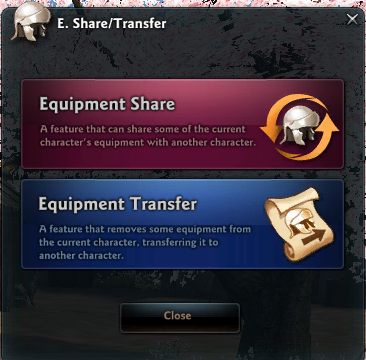
■ Select Character to Transfer
Equipment Transfer is only available with characters above Lv. 110. The target character's level must be alike or higher than the sharing character.
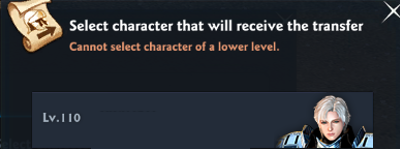
If the character doing the transfer has a 2nd weapon, you can select which weapon type to transfer. The weapon and auxiliary equipment are converted into a form usable by the character receiving the transfer.
■ Using Equipment Transfer
Equipment Transfer can transfer up to 17 pieces of gear(one for each equip slot), and you will be required to pay a certain amount of gold according to the value of each gear.
- You can select gears of Lv.105+ for Weapon, Armor, Earrings, Belt and Rings
- For Necklace, Bracelet and Brooch, you can select certain items under Lv.105 as well.
The tradability (binding, etc.) of the equipment is kept and transferred. Also, there is a 30 day cooldown between Equipment Transfers.
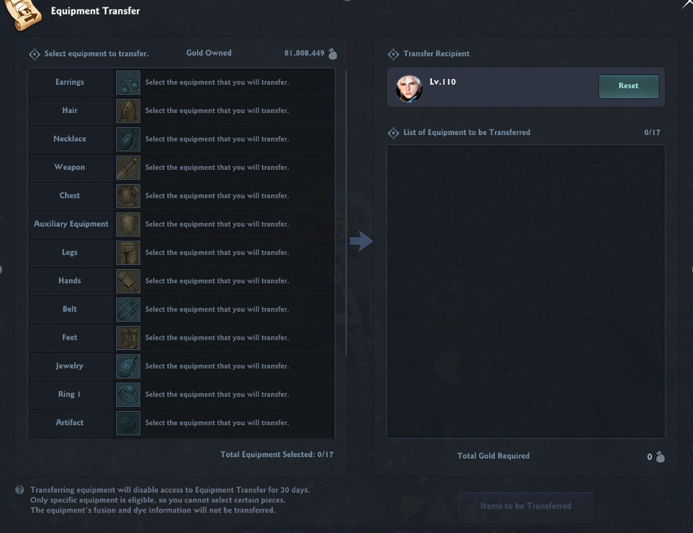
<Selection Screen of Character Transferring Equipment>
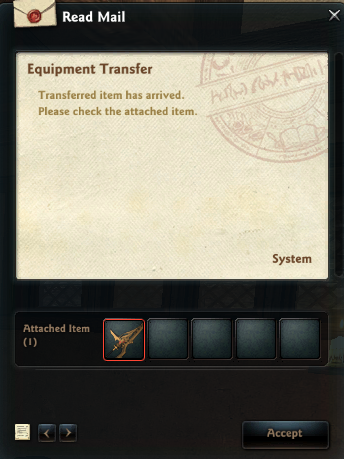
<Character Receiving Transferred Equipment - Screen of Equipment Transferred Via Mail>
■ 1/2 Weapon Transformation Function
If a character has a 2nd weapon, you can transform your character's weapon between 1st/2nd weapons. This function also has the same 30 day cooldown between actions.
You can access 1st/2nd weapon transformation from menu (Shortcut Key: T) > Equipment Share and Transfer > 'Equipment Transfer & Weapon Transformation'
- Select your current character as the target character to activate the UI and select the weapon you'd like to transform.
- Select your current weapon to change it into the other weapon type.
- Selecting Twin Swords in your Storage Chest as Lann will transform them into Twin Spears, and selecting Twin Spears will transform them into Twin Swords.
- You cannot change your Twin Swords into Twin Chainblades.
- Once a weapon has been selected and confirmed for transformation, the transformed weapon will be sent to the character's mailbox.
Characters without secondary weapons cannot use the Weapon Transformation feature. Also, the transformed weapon will lose its brandish & color dye.
■ Please Note
- The item fusion and color information are not kept when transferring equipment.
- If the enchant on the item to be transferred cannot be applied to the resulting item, that enchant information will disappear.
- If a shared item is transferred, that item will be unshared.
- Ex) If character A is currently sharing its gear with character B, and you transfer A's gear to character C, the equipment share relationship will be immediately removed and only character C will be able to use the gear.
| This guide reflects up-to-date information as of August 2025. |
